Connect Attio to Myuser in 2 minutes
One API key: people, companies, deals, real meetings and booking sync.
Attio is a workspace API-key integration: one key, pasted once, and Myuser can create people, companies, deals and real meetings in your workspace - every record tagged with the campaign that caused it.
What you get
- People + companies pushed automatically - positive replies (or all leads, your choice) land in Attio with name, title, email and the company record linked.
- Real meetings, both directions - when a lead books, Myuser creates an actual Attio meeting (calendar object, not just a note). And meetings that appear in Attio are read back by Myuser's booking sync, so campaign analytics show who booked.
- Emails logged as notes - optional, per product.
- Deals - Myuser creates deals with the owner set automatically; if your workspace has no deal stages yet, Myuser creates the "Lead" stage for you.
- Master AI read/write - ask "is [email protected] in my CRM?" or "add a note to John" and it works against Attio live.
Step 1 - create the API key
- Open Attio and click your workspace name (top left) -> Workspace settings.
- Go to Developers -> Access tokens (or open
https://app.attio.com/[your-workspace]/settings/developers). - Click Create access token.
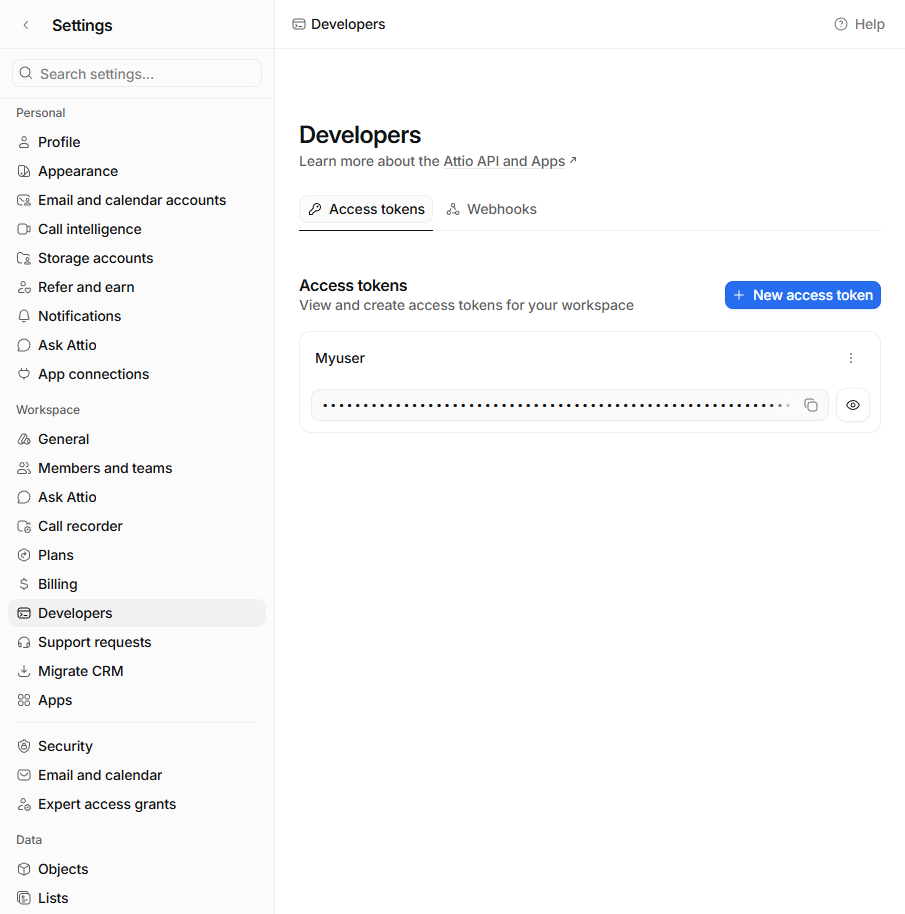
- Name it Myuser and set the permissions. The simplest correct setup: set every permission to Read-write. If you prefer granular control, here is what each scope does for Myuser:
| Scope | Set to | Why Myuser needs it | |---|---|---| | Records | Read-write | People, companies and deals | | Notes | Read-write | Logged emails + meeting fallback notes | | Meetings | Read-write | Reads booked meetings for campaign analytics, writes the meetings Myuser books | | Call Recordings | Read-write | Meeting recordings + transcripts (Sales Hub recording sync) | | Object Configuration | Read-write | Deal stages - lets Myuser create the "Lead" stage if your workspace has none | | Tasks | Read-write | Optional - future task pushes | | Comments | Read-write | Optional | | User Management | Read | Optional - nicer deal-owner resolution. When Disabled, Myuser automatically uses the key's creator as the deal owner instead. | | List Entries, List Configuration, Files, Sequence unsubscribe list, Webhooks | Disabled | Not used by Myuser |
- Click Save, then click the eye icon and copy the token (it shows only once in full - if you lose it, create a new one).
Step 2 - paste it in Myuser
- Open Integrations and pick your product (top right).
- In the Integrate into your CRM section, expand the Attio card.
- Paste the key, click Save Attio.
Step 3 - test it
Click Test Integration on the Attio card. It pushes real throwaway records (clearly named "Myuser Test ...") and reports every step with a link: key check, company, person (linked to the company), a logged email note, a real Attio meeting with campaign attribution, and a deal - creating the "Lead" stage first if your workspace has none.
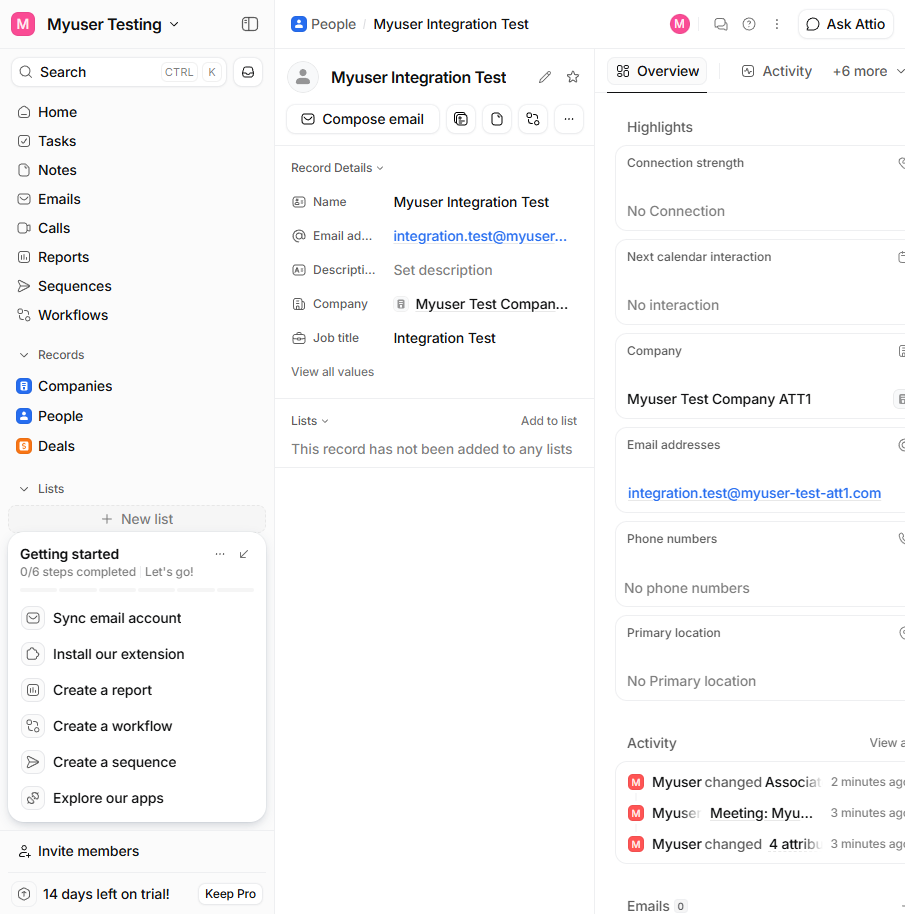
That's it. From now on your chosen events (positive replies by default) flow into Attio automatically, and meetings booked into Attio flow back into your campaign analytics.
FAQ
Which plan do I need? Any - API keys are available on Attio's free plan.
Can I limit what Myuser writes? Yes - the "When should data reach the CRM" checkboxes on the card control it, same as HubSpot.
Deals fail with "missing value"? Attio deals require an owner. Myuser resolves it automatically: your first workspace member, or (when the User Management scope is Disabled) the person who created the API key. If it still fails, check the Deals object is enabled (Attio > Settings > Data > Objects).
Meetings aren't syncing? The key needs the Meetings scope (Read-write). Keys created before that scope existed don't have it - create a fresh key with every permission on Read-write and paste it again.